ARM
A day, or the next hour
Arm a daily window with a minimum gap, or roll a short burst of alerts for the next 60 minutes at home, the office, a vehicle, or another place you choose.
 THREATCLOCK
IPHONE · APPLE WATCH · ANDROID
ThreatClock is a training timer for replica dry-draw and visualization practice. It schedules random threat cues inside a window you choose, then rings like an alarm so the drill starts when you are not watching a clock.


Replica trainers only. Use ThreatClock with fake, inert, dummy, or replica devices that cannot fire a projectile. Never handle a real firearm with this app. Real firearms belong with a qualified instructor, separate from this app.
Upcoming times stay hidden by default. You set the window, the count, and the place. The app picks the moments.
Arm a daily window with a minimum gap, or roll a short burst of alerts for the next 60 minutes at home, the office, a vehicle, or another place you choose.
On iPhone, ThreatClock uses AlarmKit, the same class of alert as Clock, so a THREAT cue can sound on the lock screen after you allow alarms. Android uses exact alarms and a full-screen alert.
Each cue names a location and an entry, such as the front door or the driver door. Public places are visualize-only. Private spaces are for replica dry practice.
Start Instant, or use Instructor mode with a delay. Start sounds are PACT, Beep, Horn, or a custom recording. Shot reports are heard on the device and are not uploaded.
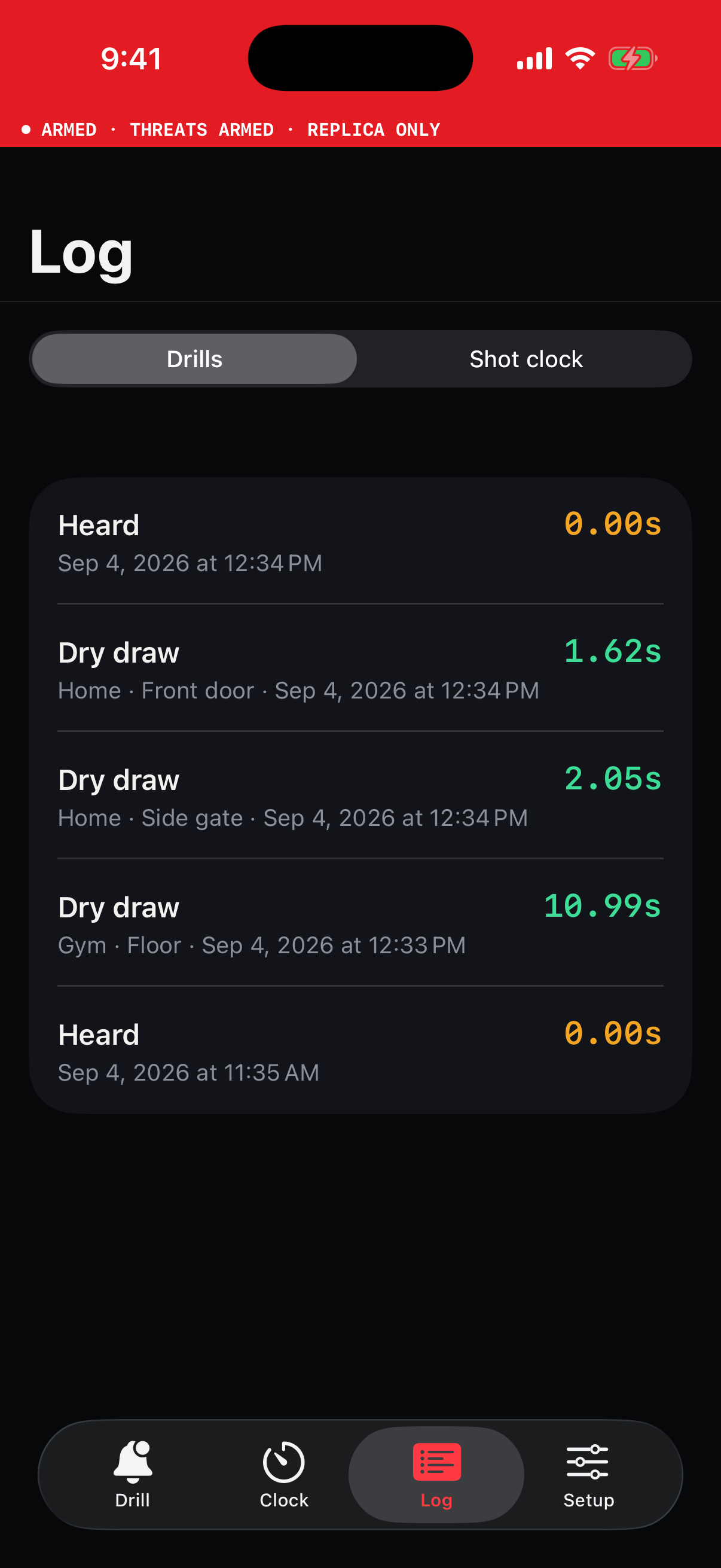
After a cue, mark the rep visualized or dry-draw complete. Reaction times and saved shot-clock strings stay in the log on your device.
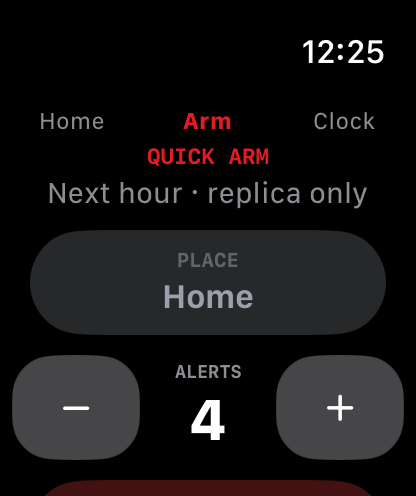
The Apple Watch app shows armed status, can arm the next hour, and runs the shot clock. A paired Wear OS companion does the same on Android.
SHOT CLOCK
After a threat fires, open the shot clock and run the rep. It is the same idea as a range timer: a start beep, then splits for each shot the phone hears.
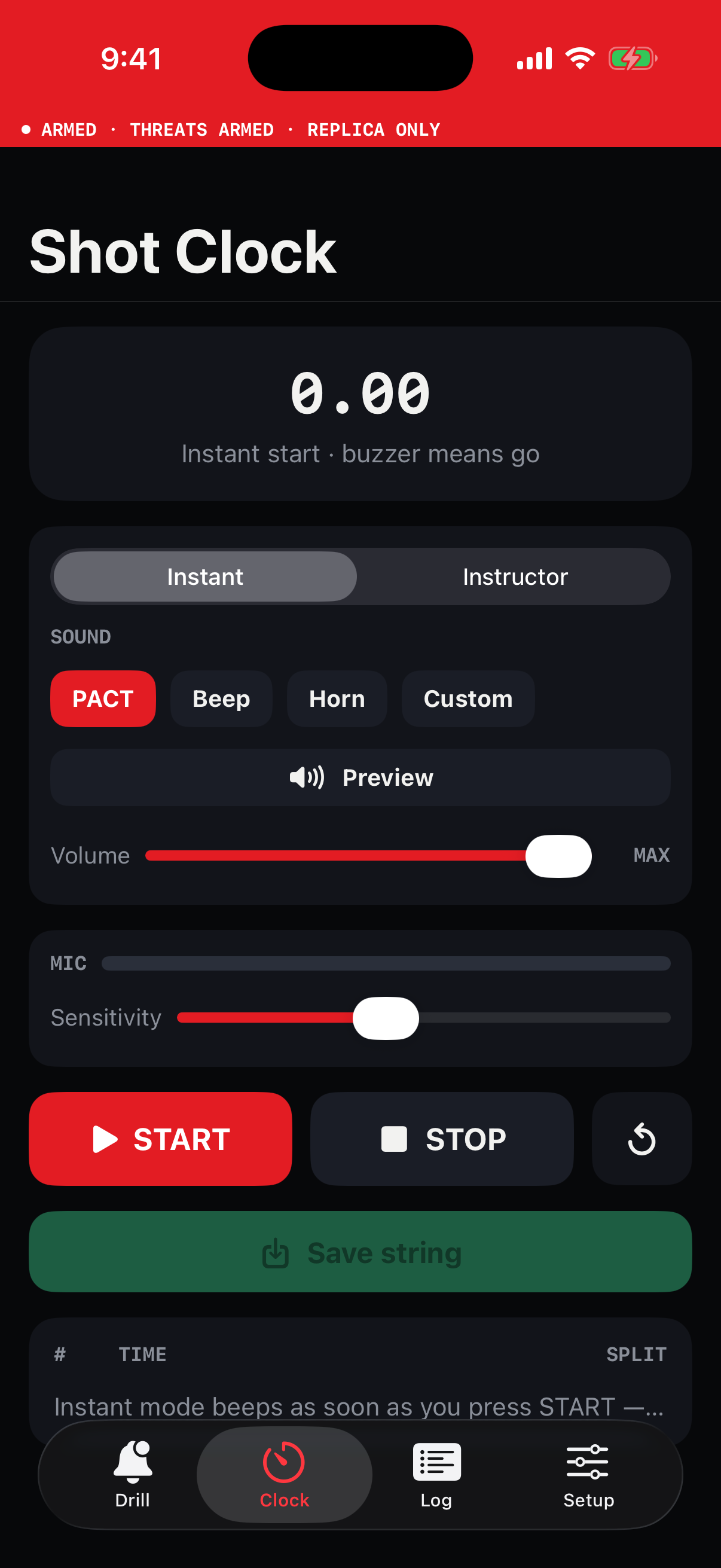
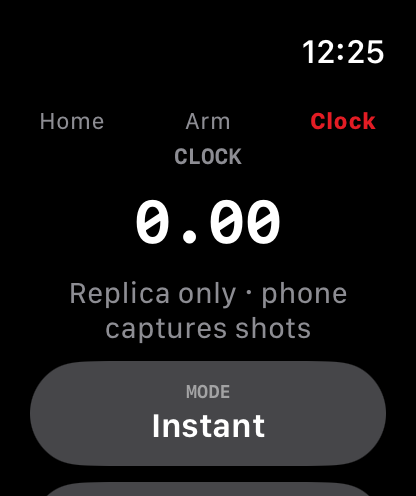
Screens captured from the iOS and watchOS simulators.
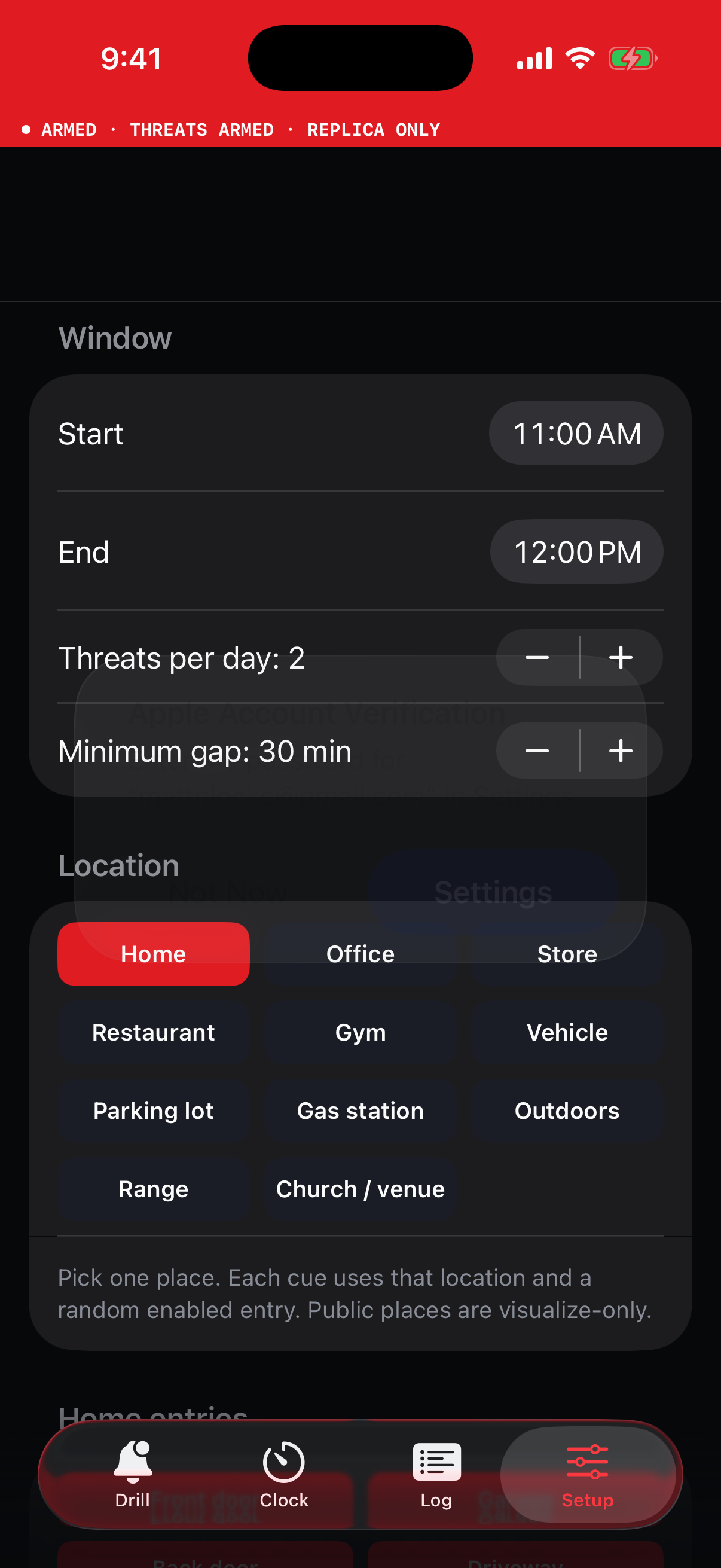
Accept the safety screen, then leave the phone alone.
Replica or dummy trainers only. The app will not start a drill until you confirm that.
Choose hours, days, threats per day, the minimum gap, and which entries are in play.
Allow alarms. Lock the phone. When a cue fires, the lock screen says THREAT.
Open the shot clock if you want a timed string, then log visualized or dry-draw complete.